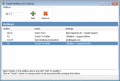
Create hotkeys for Outlook with Topalt Hotkeys. Insert predefined text with a hotkey (can be used as canned responses tool). Quickly navigate (switch) between Outlook folders using hotkeys. Send a desktop screenshot with one click. And it's FREE!
SPX captures an image from your monitor(s) - ready for two or more monitors! Send it directly to clipboard, file, e-mail, ftp, printer or another program. Better yet, send if first to SPX Annotation Editor to "show and tell" and explain your work.
Capture and upload screenshot or screen cast in one click? You don't have to use complicated programs, just run this simple application to capture a screen picture or even video with single click and share it with friends. Instant screenshot sharing!
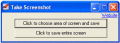
Take Screenshot is an instant screenshot taker program which can copy and save any or all area of screen instantly to a jpg file. It is extremely easy to use and is designed to make windows screenshot taking process a lot faster.
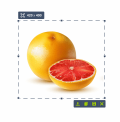
Picacha enables to make a quick screenshot and share to online. Share a screenshot in just 3 seconds. Drag your mouse to grab the screen, copy the link, share with your friends and colleagues. Picacha is absolutely free!
A free service enabling you to share screen snaps via the net in seconds. Select and capture anything on your screen, easily add text, arrows, or effects, and share screenshot immediately online. Download now!
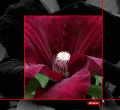
The most practical desktop tool for capturing selected area from the screen. Allows to save (supports *.PNG, *.JPG, *.GIF), upload to server (gives short URL), edit screenshot with online picture editor, share screenshot via Twitter, Facebook, Digg.
 HandyArchive