 HandyArchive
Play mobile games faster on PC, ad-free
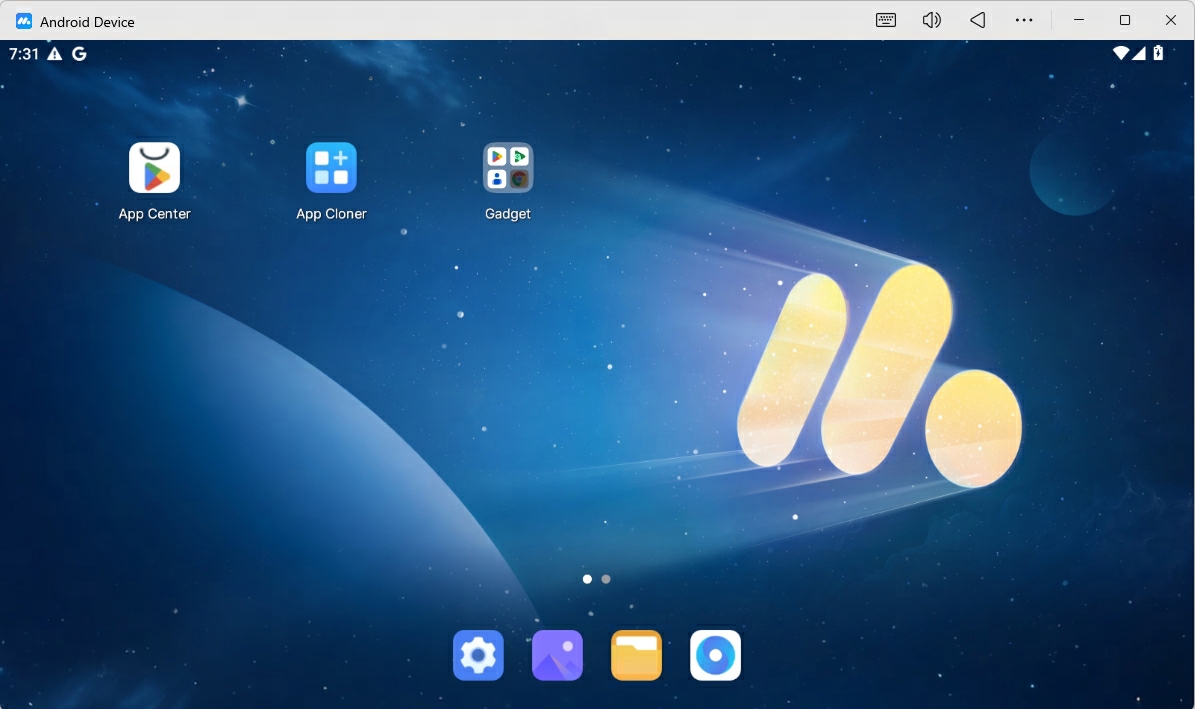
MuMuPlayer App Player for Windows 5.22.2
MuMuPlayer - Smooth, Ad-Free Android Gaming on PC
High-Performance Gaming
MuMuPlayer delivers smooth, ad-free Android gaming on PC, designed for stability and speed. It supports a wide range of games and apps, ensuring fluid gameplay for even graphics-intensive titles, with fast load times and minimal lag.
Customizable Controls
A major strength of MuMuPlayer is its control customization. Players can map keyboard, mouse, or gamepad inputs, adjust sensitivity, and configure layouts to suit action, strategy, or RPG games for a personalized experience.
Multi-Instance Support
Run multiple apps or games simultaneously with multi-instance. Manage multiple accounts, test apps, or run several games side by side, boosting productivity and gameplay versatility.
Advanced Tools
MuMuPlayer includes macro automation to record and replay actions, screen recording to capture gameplay, and location simulation for GPS-based apps, extending functionality beyond basic gaming.
Stable and Efficient
Optimized for efficient resource use, MuMuPlayer runs smoothly even with multiple instances or heavy apps. Its lightweight architecture ensures PC performance remains stable.
User-Friendly Experience
Installation is easy, and the interface is clear for configuration, control mapping, and instance management. Its ad-free environment keeps users focused on gaming or productivity.
Versatility Beyond Gaming
Beyond games, MuMuPlayer runs social, productivity, or streaming apps. Macros, recording, and location simulation expand use cases, making it suitable for content creators, testers, and tech enthusiasts.
Conclusion
Combining performance, flexibility, and advanced tools, MuMuPlayer delivers a seamless, ad-free Android experience. Customizable controls, multi-instance support, and versatile features make it ideal for gamers and Android users alike.
High-Performance Gaming
MuMuPlayer delivers smooth, ad-free Android gaming on PC, designed for stability and speed. It supports a wide range of games and apps, ensuring fluid gameplay for even graphics-intensive titles, with fast load times and minimal lag.
Customizable Controls
A major strength of MuMuPlayer is its control customization. Players can map keyboard, mouse, or gamepad inputs, adjust sensitivity, and configure layouts to suit action, strategy, or RPG games for a personalized experience.
Multi-Instance Support
Run multiple apps or games simultaneously with multi-instance. Manage multiple accounts, test apps, or run several games side by side, boosting productivity and gameplay versatility.
Advanced Tools
MuMuPlayer includes macro automation to record and replay actions, screen recording to capture gameplay, and location simulation for GPS-based apps, extending functionality beyond basic gaming.
Stable and Efficient
Optimized for efficient resource use, MuMuPlayer runs smoothly even with multiple instances or heavy apps. Its lightweight architecture ensures PC performance remains stable.
User-Friendly Experience
Installation is easy, and the interface is clear for configuration, control mapping, and instance management. Its ad-free environment keeps users focused on gaming or productivity.
Versatility Beyond Gaming
Beyond games, MuMuPlayer runs social, productivity, or streaming apps. Macros, recording, and location simulation expand use cases, making it suitable for content creators, testers, and tech enthusiasts.
Conclusion
Combining performance, flexibility, and advanced tools, MuMuPlayer delivers a seamless, ad-free Android experience. Customizable controls, multi-instance support, and versatile features make it ideal for gamers and Android users alike.