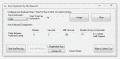
Automate repetitive keyboard typing with a single shortcut key. Auto Keyboard can automate key down and key up with speed, allows configuring number of automated keyboard entries and more at http://www.murgee.com/auto-keyboard/.
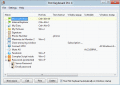
Using Hot Keyboard, you can record or play keystrokes, mouse actions; launch applications; paste text; open documents and create other types of macros. Execute macros by hot keys, text shorcuts, scheduler, window popups and system startup.
Touch Screen Keyboard was developed especially for touch screen devices: touch screen monitors, stationary e-kiosks, tablets and others. Touch Screen Keyboard has two main layouts that can be quickly switched using a special button.
Get official Keyboard Drivers for your Windows Vista system. Keyboard Drivers For Windows Vista Utility scans your computer for missing, corrupt, and outdated keyboard drivers and automatically updates them to the latest, most compatible version.
Get official Keyboard Drivers for your Windows XP system. Keyboard Drivers For Windows XP Utility scans your computer for missing, corrupt, and outdated keyboard drivers and automatically updates them to the latest, most compatible version.
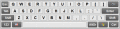
itKeyboard is an on-screen virtual keyboard application, i.e. a program that simulates a standard keyboard by showing a picture of a keyboard on the screen. Virtual keyboard is the best solution for touch screen devices.
 HandyArchive