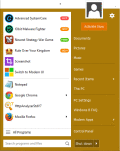
JetStart lets you launch Start Menu shortcuts faster and easier then ever. No more digging into crowded Start Menu! And best of all, it's completely free!
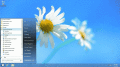
Start Menu 8 is a desktop customized utility for Windows users, specifically designed to bring back the familiar Classic Start Menu to Windows 8/8.1 & Windows 10.
NewStartMenu can replace your start menu with your own menu, it is easy to use! you can switch between your start menu and windows start menu.it can hide your desktop and system tray.
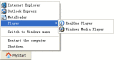
Taskbar Classic Start Menu adds to the system notification area an icon. By clicking this icon, you can bring up a popup menu, which is similar to the Start Menu in Windows 2000 and Me.
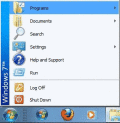
CSMenu is a replacement for the default Windows 7 start menu, allowing you to use the original, classic start menu from previous versions of Windows. It is also completely free and easy to setup and install.
Start Button for Windows 8 contains a Start Button and a convenient menu. The program can be installed on any Windows version. Start Button 8 does not change system files and can be disabled without rebooting the system. Full touchscreen support.
The Super Start Menu places a small unobtrusive button in the taskbar to activate the menu. There are shortcuts on the right to access the Users Profile Folder, Documents, Computer, Control Panel, Printers and Software.
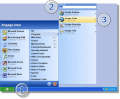
Engage is a Start Menu organizer (and replacement) that gives you fast and easy access to all of your most used items. Stop wasting time hunting through your Start Menu.
LaunchOnFly is a Start Menu alternative and hotkey manager. It lets you launch applications, open files, folders, Web sites, and send e-mails faster and easier using quickly accessible and easily configurable menu.
 HandyArchive