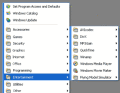
Are you tired of searching for programs in a long "Start Menu" list? If so, this program is for you. It allows you to arrange all the shortcuts in the Start Menu. Your Start Menu looks neat, and you can easily and quickly find any program you want.
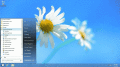
Start Button for Windows 8 contains a Start Button and a convenient menu. The program can be installed on any Windows version. Start Button 8 does not change system files and can be disabled without rebooting the system. Full touchscreen support.
Taskbar Classic Start Menu adds to the system notification area an icon. By clicking this icon, you can bring up a popup menu, which is similar to the Start Menu in Windows 2000 and Me.
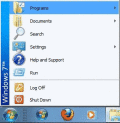
CSMenu is a replacement for the default Windows 7 start menu, allowing you to use the original, classic start menu from previous versions of Windows. It is also completely free and easy to setup and install.
Portable Start Menu is a simple start menu application that can be installed on USB sticks or local PCs. Programs can be launched via a tray icon. If you close Portable Start Menu on an USB-Stick, running applications can be closed automatically, too
JetStart lets you launch Start Menu shortcuts faster and easier then ever. No more digging into crowded Start Menu! And best of all, it's completely free!
The Super Start Menu places a small unobtrusive button in the taskbar to activate the menu. There are shortcuts on the right to access the Users Profile Folder, Documents, Computer, Control Panel, Printers and Software.
RetroUI customizes Windows 8: adds a start menu, makes Windows Store (metro) apps run in a resizable window with a [X] button on the desktop, brings the taskbar and start menu into the new Start screen, removes hot corners, and much more.
RetroUI customizes Windows 8: adds a start menu, makes Windows Store (metro) apps run in a resizable window with a [X] button on the desktop, brings the taskbar and start menu into the new Start screen, removes hot corners, and much more.
 HandyArchive