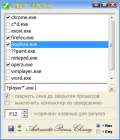
Auto Kill Any Process or A.K.A.P for short, is a very useful utility, to batch kill Multiple-Sets of different processes at once, by simply launching the program. It can also automatically monitor and kill processes at user specified intervals.
Process Controller give you control over the processes running on your Computers and Terminal/Citrix Servers.It enhances the performance of these servers by giving you control over the processing priority of the processes that run on them.
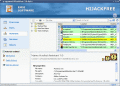
a-squared HiJackFree is a detailed system analysis tool which helps advanced users to detect and remove all types of HiJackers, Spyware, Adware, Trojans and Worms. Manage Autoruns, LSPs, BHOs, Toolbars, Processes, Services, Hosts file. Analyze Online
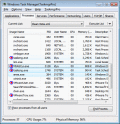
TaskmgrPro enhances Windows Task Manager and provides powerful features. It allows you to end selected processes at once or batch kill processes in a kill list. You can also batch stop or start windows services on the additional services tab.
Get FREE information and exhaustive advice on all processes running on your PC, directly in the Windows Task Manager. Download the awarded Quick Access InfoBar to stay in charge of your PC, for free.
Simple Startup Manager allows you to manage which programs to run at Windows startup. This software gives you the ability to add, delete and edit applications to be run at system startup and presents a consolidated view of the startup locations.
web based application which helps Administrators to manage the computers in different Domains. Services,Processes,Devices,Shares,Sessions,User rights,drives,environment variables, Bulk move, add to group, remove from group, enable/disable features
Freeware process and startup manager. Remove spyware and optimize performance. Monitor and manage processes, services, internet connections, DLLs, drivers. Descriptions for startup programs and all Windows services, alerts on new startups.
 HandyArchive