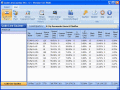
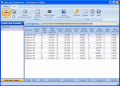
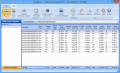
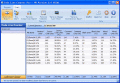
Reliable tool developed to count Words, Character, Lines and Pages in Word, Excel, PowerPoint, PDF, Publisher, Text, HTML files and calculate cost of typing accordingly. Tool is ideal for transcription and translation industry.
an easy-to-use software to count lines of code in source for SQA, Project Managers and Developers. Able to count C++ language. Includes total counts and percentages for comments, blanks and source lines. All reports can be exported.
an easy-to-use software to count lines of code in source for SQA, Project Managers and Developers. Able to count C# language. Includes total counts and percentages for comments, blanks and source lines. All reports can be exported.
an easy-to-use software to count lines of code in source for SQA, Project Managers and Programmers. Able to count Java language. Includes total counts and percentages for comments, blanks and source lines. All reports can be exported.
an easy-to-use software to count lines of code in source for Project Managers and Programmers. Able to count Delphi(Delphi/Pascal) language. Includes total counts and percentages for comments, blanks and source lines. All reports can be exported.
an easy-to-use software to count lines of code in source for SQA, Project Managers and Programmers. Able to count Visual Basic(VB/VBA) language. Includes total counts and percentages for comments, blanks and source lines. All reports can be exported.
Excel Word Count is an useful addin for Excel to Count Words in Excel Workbook just like MS Word Inbuilt Word Count Utility. You can count words in ActiveSheet, ActiveWorkbook & Selected cells. This new version is very easy to use and user friendly.
This tool efficiently carries out word, page and line count and calculates cost of typing accordingly. Cost calculation feature makes this software very useful for transcription and translation industry.
ClipCount is ideal for fast text count in any file or program. Just select text you want to count and press CTRL+C keys (or any other combination you select) and window with count results appears in the bottom right corner of the screen.
 HandyArchive