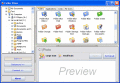
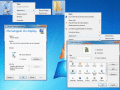
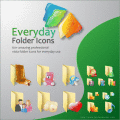
Easily change icons displayed by Windows 7, Vista, and XP. One elegant dialog allows you to change icons anywhere on your computer. Folder, shortcut, shell or system icons, On Display can change icons in more places than any other icon tool.
533soft Icon Changer can change the icon embedded in a executable or icon file. This program supports all files with the extensions .exe, .dll, .cpl, .ocx, scr, .ico. You can change the icon of these files easily and quickly.
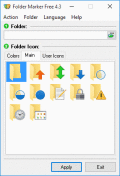
This utility lets you change folder icon (mark folders) by priority (high, normal, low), project completeness level (done, half-done, planned) and type of information stored in them (work, important, temp and private files).
MZ FolderIcon comes with a wide palette of colors and icons. You can choose between them. If you change your mind at any time, returning to the default Windows color is extremely easy.
Abonsoft True Color Icon Converter can convert any images to true color icons of any size. It can also extract icon from any file or from any folder, then convert to a new icon. It can convert icon to images too.
Ever Want To Change Files' Creation, Modified, or Acessed Date/Time? Now You Can! File/Folder Properties Changer Can Also Change File Attributes Too. Have Many Files? Operates In Batch Mode As Well.
As we know, Microsoft removed "little hand" for shared folder in Win7. Now use Win7 Shared Folder Icon to find back the feature! Futhermore, it enables you replace the "little hand" with many other icons, this function is also available in XP/Vista.
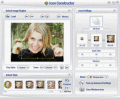
Icon Constructor is an advanced icon creator, it converts all image formats into Windows icons. It supports Windows XP icons in 32-bit color depth with an alpha channel. This robust program works like the Swiss Army knife of icon creation!
Custom-designed and free folder icons. 60+ amazing professional Vista folder icons. The best choice anywhere on the Web. Use them to customize your folders. Each icon is designed to look impeccable in all sizes. A must-have!
 HandyArchive