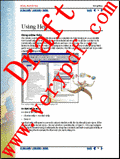
It is necessary to mark document if it is copyright protected or sample copy. Acrobat PDF Watermark Software imposes watermark string over pdf pages at specified location. Tool is easy in use, quickly creates watermark on multiple bulk pdf documents.
AWinware PDF Watermark software is best Acrobat PDF text imposition tool, stamps watermarking on each selected pages quickly. Create rotated pdf watermark at header, footer or center position between angles of 0 to 359 degree.
Draw text over pdf pages at top or bottom using AWinware pdf watermark. Tool lets user to draw watermark on bulk pdf files above page content or beneath the content. It draws colourful rotated watermark on each specified pages.
AWinware Pdf Watermark Software is Windows utility helps in creating watermark text above or beneath the content of page. This comprehensive application lets user to stamp watermark with various parameters settings.
PDF Stamp is an advanced product that enables you to stamp content into a PDF document. Besides images, texts and graphics, PDF Stamp is able to add links and notes. PDF Stamp (PDF Watermark) is easy to use. it does NOT need Adobe Acrobat software.
AWinware PDF Watermark program adds text & image watermark string over pdf pages at specified location. Watermark text can be decorated with chosen font name, style, color etc. Apart from this, rendering can be made of type fill & stroke both.
New improved version of AWinware Pdf Watermark Software, designed to create watermark text with lots of extra parameters like setting of page number, watermark position, rotation, color, font selection, style and margins from pdf sides etc.
PDF Watermark Creating Software is very simple, cost-effective application creates water mark on each PDF document with batch processing process. PDF watermark automatically creates stamp without distorting information and provides clear visibility.
PDF Watermark Remover is a handy tool to remove PDF embedded watermarks(text, logo, banner, stamp, signature, etc). Help you quickly remove the embedded watermarks in your PDF files and keep the original layout and formats.
 HandyArchive