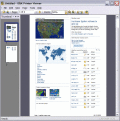
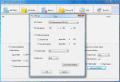
PCL Tool SDK 32-bit / 32-bit .NET is a collection of tools for converting PCL text, raster and vector files into bitmap formats (PCL to in-memory DIB, TIF, JPG and PNG) or vector formats (PCL to in-memory GDI, EMF and PDF).
PCL Works 64-bit views, converts and debugs complex PCL print streams. Quickly and easily convert PCL into very small JBIG2 compressed raster or vector/text PDF and PDF/A files, as well as PCL to TIF, PNG, BMP, JPG, XPS, WMF and EMF formats.
PCL Works 32-bit views, converts and debugs complex PCL print streams. Quickly and easily convert PCL into very small JBIG2 compressed raster or vector/text PDF and PDF/A files, or into TIF, PNG, BMP, JPG, XPS, WMF and EMF formats.
PCLWorks Program 64-bit views, converts and debugs complex PCL print streams. Quickly and easily convert PCL to JBIG2 compressed raster or vector/text PDF and PDF/A files, as well as PCL to BMP, EMF, JPG PCX, PMF, PNG, PWG, PCLm, TIF, WMF, and XPS.
PCLTool SDK is a collection of tools for converting PCL into a variety of formats BMP, EMF, JPG, PCX, PDF Raster, PDF Vector, PMF, PNG, PWG, PCLm, TIF, and WMF. New features include support for HP's new PCLm printer language and IEEE's PWG format.
PCLTool SDK is a collection of tools for converting PCL into a variety of formats BMP, EMF (RAW), JPG, PCX, PDF Raster, PDF Vector, PMF, PNG, PWG, PCLm, TIF, WMF and XPS. New features include support to interpret and output to PCLm/PCLmS and PWG.
PCLTool SDK Option III is designed for capturing and converting PCL to PDF or PCL to PDF/A. Option III converts COMPLEX PCL into raster/vector PDF or PDF/A formats, or raster XPS format while extracting all of the text.
PCLTool SDK Option III is designed for capturing and converting PCL to PDF or PCL to PDF/A. Option III converts COMPLEX PCL into raster/vector PDF or PDF/A formats, or raster XPS format while extracting all of the text.
Transform AFP to PCL and PCL-XL via hot folder on Windows. The software maintains all document objects such as graphics, searchable text, tables and live forms, uniquely within the generated PCL or PCL-XL for easy access by PCL compatible printers.
 HandyArchive