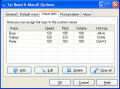
Select text from any program, press hotkey and enjoy clear natural voice! Make your documents, emails, web pages, books and thoughts sound. Set volume, speed and pitch of speech. Create Voice Slots to use different hot keys for different voices.
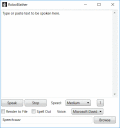
RoboBlather is a free text-to-speech application written using .NET 3.0. Rendered speech can be saved to a .WAV file and both talking speed and synthesis voice are user-selectable.
TTSBuilder allows engineers to create their own Text To Speech Voice or Language using High Quality
Festival Speech Synthesis Research. A complete step-by-step manual for such a creation is included in the retail
version.
Panopreter Basic reads text, text file, rft file, web page and word document with natural sounding voices, and converts the text and files into spoken audio files in wav and mp3 formats. Support a wide variety of languages.
Power Text to Speech Reader is an award-winning text-to-speech player that lets you listen to documents, e-mails or web pages instead of reading on screen.
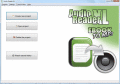
Text to Speech Software Audio Reader XL to read aloud text easily. Convert any text like Word Documents, PDF files or EBooks to MP3 with the Voice aloud Reader. Upon request, the TTS Reader works in the background and reads texts automatically.
Personal Assistant and Speech Platform - assistant with customizable name, image, voice and text color; default female name is Salli; default male name is Mike; system tray icon and context menu; speech recognition engine and speech synthesis engine
Panopreter Plus reads txt file, rft file, pdf file, web page and word document, and converts them to wav and mp3 audio files. Panopreter toolbar reads web page opened with Internet Explorer, and converts the text to wav or mp3 audio file.
 HandyArchive