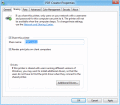
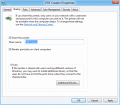
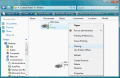
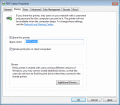
Install a shared PDF printer on your server, and allow all your users to create PDF files on their client-side by printing from any Windows program to this shared PDF printer, and get high quality PDF output. Support Terminal Services and Citrix.
Shareable print driver that provides network users with the ability to create an Adobe PDF or ISO 19005-1 PDF/A file from any application that can print. Centralize PDF creation with Windows Terminal Services or Citrix MetaFrame Presentation Server.
Install a shared PDF printer on your server, and allow all your users to create PDF files on their client-side by printing from any Windows program to this shared PDF printer, and get high quality PDF output. Support Terminal Services and Citrix.
Install a shared PDF printer on your server, and allow all your users to create PDF files on their client-side by printing from any Windows program to this shared PDF printer, and get high quality PDF output.
Install a shared PDF printer on your server, and allow all your users to create PDF files on their client-side by printing from any Windows program to this shared PDF printer, and get high quality PDF output. Support Terminal Services and Citrix.
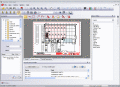
TwinView is a multi-format, Windows-based viewer that opens, prints, and marks up a variety of imaging, and CAD drawing file types. It supports DXF,DWG,DGN,DWF,HPGL,TIFF,multipage Tiff. It has many advanced print functions.
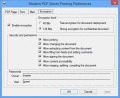
The software installs as a shared print driver, which means users need only click the print button in any application to create a PDF file. Users can choose the page size, orientation, resolution, graphics, whether a font should be embedded or not.
Stop memorizing logins, passwords, Citrix servers and manually entering them; store all your Citrix connections on one USB flash drive, smart card, or token; enjoy automated access - simply insert the USB drive and pass convenient identification.
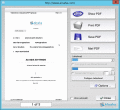
Your PDF Files are just one click away! Aloaha PDF Suite is the perfect tool to create/edit your PDF Documents. One click is enough! Just print your document to any of your printers and Aloaha will convert the print job to a PDF Document.
 HandyArchive