Hide and lock your local, network, Floppy and USB drives as well as disable the AutoRun feature for specific drive types with this password-protected security utility. If you do not want the removable media to appear and be accessible in My Computer
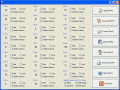
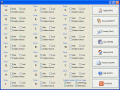
Use Easy Disk Drive Safeguard to hide and lock your local, network, Floppy and USB drives as well as disable the AutoRun feature for them. A password protection can be applied to the program to prevent your users from changing the security settings.
Password-protect, hide and lock your local, network, Floppy, CD/DVD and USB drives; disable AutoRun; ensure security and privacy. The program itself can be protected with a password and can not be uninstalled under a regular user account.
Automatic software installation of any complexity, including inserting your data into installation dialog boxes automatically. Using RoboSetup you can create a disk with an AutoRun shell, which will install software automatically.
A simple program Autorun Organizer For Windows Free is intended for viewing the menu of autoloading and removing unnecessary elements from it. There are many programs that, when installed on a PC, register themselves with autoloading.
Stardust AutoPlay Engine 1.4 makes it possible to create small, fast-loading AutoPlay teasers for your data CD and DVD products that work across all versions of Windows. Runtime engine distribution is royalty-free.
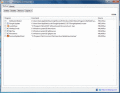
XP Startup Cleaner&Autorun Manager helps you to easily manage program execution at windows startup. XP Startup Cleaner&Autorun Manager is used to administer the programs executing on startup and the files to be loaded at start up.
 HandyArchive