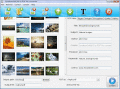
AXPDF Image to PDF converter is a stand-alone program that lets you convert JPG to PDF, TIFF to PDF, multipage Tiff to PDF, PNG to PDF, GIF to PDF and BMP to PDF. You can convert your photos, drawings, scanned and faxed images into PDF format.
GIF PDF Converter GIF file into PDF simply. GIF to PDF conversion tool supports to convert create single page as well as multipage GIF files into PDF files document. It also supports batch image conversion.
AWinware Pdf to Photos creator software converts pdf into JPG PNG TIFF EMF WMF GIF BMP EPS etc graphics file. In addition, program also facilitates to convert pdf into multi-frame TIFF format; convert single, all, odd, even or part pages into photos.
Save pdf photos automatically on disk drive, no need to copy paste manually. Use Pdf Image Extractor software to export all embedded photos, either small size or large size, store each graphics at specified location.
Need to change your scanned tiff documents into Adobe pdf file, or wish to convert BMP, JPG, GIF, PNG, TGA, PSD photo files into standard pdf document? Try our Image to Pdf Converter Software which supports conversion of bulk pictures.
Create photo albums and ebooks with JPG to PDF Pro Converter in as little as three mouse clicks. It supports many popular image file formats and can password protect your PDF files. You can even create thumbnail galleries.
If you have lots of scanned documents, photos, screenshots etc and looking to convert them into Adobe Pdf documents; AWinware Image to Pdf Converter software is best choice for converting graphics into Adobe pdf.
Convert all your pdf document pages into JPG, BMP, TIFF, PNG, EMF, WMF, EMF, GIF photo format. Pdf to photo not only convert pdf into single frame tiff but also capable to create multi-frame tiff photo as output, each frame for respective pdf page.
Image to pdf converter change JPG to PDF, GIF to PDF, BMP to PDF, PNG to PDF, TIFF to PDF, PNG to PDF, EMF to PDF, WMF to PDF, PSD to PDF; option to rotate & resize the image, set the color of images e.g. grayscale, monochrome & RGB.
 HandyArchive