 HandyArchive
Free computer backup online downloads, showing 1 - 7 of about 7

KeepVault 4.20
KeepVault local and online backup software is like 'Insurance for your data'; protecting your files the moment they change, to both a local backup drive and our secure online backup servers!
$46.01
Download (3.63 Mb)
Ahsay Backup Software (Windows Platform) 6.3.0
Ahsay Online Backup Software is a commercial solution for ISPs and online backup service providers. Besides its robust backup features and multi-platform support, AhsayOBS is the only fully brandable solution on the market.
Free
Download (32 Mb)
Ahsay Backup Software (Linux Platform) 6.3.0
Ahsay Backup Software is a commercial solution for ISPs and online backup service providers. Besides its robust backup features and multi-platform support, AhsayOBS is the only fully brandable solution on the market.
Free
Download (32 Mb)

CeeJay CeeCurity for Mac 5.5.5.0
CeeJay CeeCurity automatically encrypts and performs a secure online backup of your data. With features as version control, incremental backup, failure protection, bandwidth throttling.
$2.99
Download (15.7 Mb)

CeeJay CrashPlan for Windows 3.8.2010
CeeJay CrashPlan automatically encrypts and performs a secure online backup of your data. With features as version control, incremental backup, failure protection, bandwidth throttling.
$173.00
Download (31.66 Mb)

CeeCurity CrashPlan for Mac 3.8.10
CeeCurity CrashPlan automatically encrypts and performs a secure online backup of your data. With features as version control, incremental backup, failure protection, bandwidth throttling.
$8.00
Download (24.41 Mb)

CeeJay CeeCurity for Windows 5.5.3
CeeJay CeeCurity automatically encrypts and performs a secure online backup of your data. With features as version control, incremental backup, failure protection, bandwidth throttling.
$99.00
Download (32 Mb)
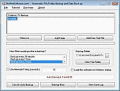
Automatic File Folder Backup and Data Back up 9.0
Automatic File Folder Backup and Data Back up Software
Free
Download (2.07 Mb)

TyphoonBackup 1.0005
TyphoonBackup is the easiest way to backup files on your computer. Simply right click on any file or folder and choose "Backup!" TyphoonBackup will place a small green dot next to your file, showing you that the file is backed up.
Free
Download (32 Mb)