 HandyArchive
Convert time-lapse/high-speed images to video
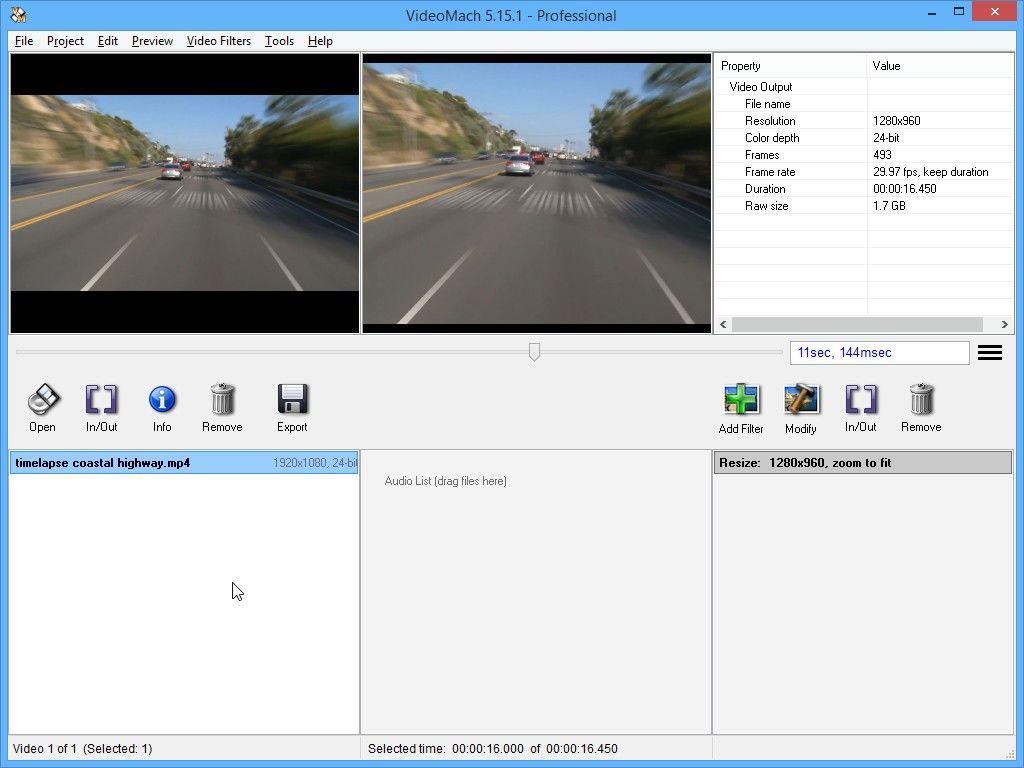
VideoMach 5.9.13
VideoMach is multi-purpose video tool that supports several non-standard image formats used for high-speed imaging. Use VideoMach for:
HIGH-SPEED VIDEO:
- BAYER, Phantom CINE (Vision Research), TIFF, PNG, JPEG, BMP and other formats supported
- Produce slow-motion videos from high-speed images/videos
- Display elapsed milliseconds on the videos
- Note: Professional license is required for some of the image and video formats
TIME-LAPSE, STOP-MOTION ANIMATION AND 3D RENDERING:
- Convert images and music to video
- Display elapsed days, hours, minutes, etc. on the videos
ANIMATED GIF AND FLC:
- Convert normal videos to animated GIF or FLC using high quality 8-bit color reduction
- Convert FLC or GIF animations to normal video
SIDE-BY-SIDE VIDEOS AND TEMPORAL AVERAGING:
- Show multiple videos side-by-side or arrange them in a table (use Tools => Matrix)
- Remove noise from a stationary camera (use Tools => Temporal Average)
EXTRACT IMAGES AND AUDIO FROM VIDEO:
- Extract currently previewed image by pressing F2 or Alt+F2
- To extract hundreds or thousands of images just specify an image file for output (VideoMach will add numbers automatically)
- Extracting audio (music or effects) is even easier
CONVERT AND EDIT VIDEOS:
- Convert videos between various formats
- Speed up a video
- Slow down a video
- Overlay text and logos
- Rotate, resize, remove borders, sharpen, adjust colors and other filters
- Note: For simple video conversions we recommend using Best Video Converter (http://gromada.com/best_video_converter). It supports much more video formats, but without any editing options.
HIGH-SPEED VIDEO:
- BAYER, Phantom CINE (Vision Research), TIFF, PNG, JPEG, BMP and other formats supported
- Produce slow-motion videos from high-speed images/videos
- Display elapsed milliseconds on the videos
- Note: Professional license is required for some of the image and video formats
TIME-LAPSE, STOP-MOTION ANIMATION AND 3D RENDERING:
- Convert images and music to video
- Display elapsed days, hours, minutes, etc. on the videos
ANIMATED GIF AND FLC:
- Convert normal videos to animated GIF or FLC using high quality 8-bit color reduction
- Convert FLC or GIF animations to normal video
SIDE-BY-SIDE VIDEOS AND TEMPORAL AVERAGING:
- Show multiple videos side-by-side or arrange them in a table (use Tools => Matrix)
- Remove noise from a stationary camera (use Tools => Temporal Average)
EXTRACT IMAGES AND AUDIO FROM VIDEO:
- Extract currently previewed image by pressing F2 or Alt+F2
- To extract hundreds or thousands of images just specify an image file for output (VideoMach will add numbers automatically)
- Extracting audio (music or effects) is even easier
CONVERT AND EDIT VIDEOS:
- Convert videos between various formats
- Speed up a video
- Slow down a video
- Overlay text and logos
- Rotate, resize, remove borders, sharpen, adjust colors and other filters
- Note: For simple video conversions we recommend using Best Video Converter (http://gromada.com/best_video_converter). It supports much more video formats, but without any editing options.