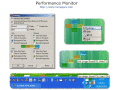
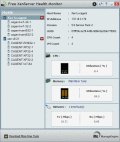
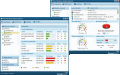
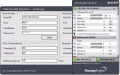
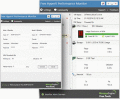
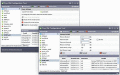
The ManageEngine Free Windows Health Monitor Tool serves as a smart desktop tool that continuously monitors servers across your network for their availability, giving you simple yet real-time network monitoring solution.
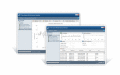
ManageEngine VM Health Monitor tool monitors ESX / ESXi, as a desktop tool dashboard. It shows the actual resource utilization of the virtual servers alongwith CPU and memory utilization for each guest OS on the ESX / ESXi server.
Free ManageEngine HyperV Performance Monitor tool monitors VM's enabled by HyperV in Windows 2008 R2. It shows the actual resource utilization of the virtual servers alongwith CPU and memory utilization for each guest OS on the HyperV environment.
Free ManageEngine Azure Performance Monitor tool monitors performance metrics like CPU Utilization, Memory Utilization of configured Web / Worker Role in real time along with a set of ASP.NET counters. It also presents Event Logs from the Azure Environmen
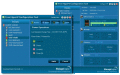
Free ManageEngine HyperV Configuration tool allows a user to VM's enabled by HyperV in Windows 2008 R2. It allows a user to configure Power Operations, Boot Sequence, CPU & Memory of a VM, and also supports performance monitoring for VM's.
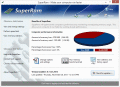
SuperRam increases computer performance by freeing wasted memory back to your computer. By optimizing memory utilization your computer will operate at stable speeds and never run out of memory. SuperRam allows you take control of your computer.
Free ManageEngine VM Configuration tool allows a user to configure VM's enabled for VMware ESX server. It allows a user to configure CPU & Memory of a VM, execute power operations on a VM and also supports performance monitoring for VM's.
Shows your CPU and memory consumption in two gauges (like a car speedometer). From that information, you can see how you need to speed up my computer. Computer speed is shown on the left gauge, memory consumption on right.
 HandyArchive