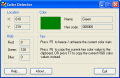
Simply point the mouse cursor anywhere on the screen, and it will tell you for pixel where the mouse is pointing: the RGB color values, the HTML hex color code, and the color name in plain English. Allows to copy these values for external use.
Color codes are show as the cursor is moved in the ColorPix window. Cursor click displays the color code in web Hex, decimal Red, Green, Blue, and the color compliment. The ColorPix screen can be pasted from the clipboard or read from a file.
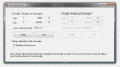
Lock Mouse cursor with Easy Lock Mouse Utility within user defined rectangle.Mouse is released when utility closed.The main screen of the utility can be minimised automatically when mouse cursor is locked. Unlock Mouse cursor by closing the utility.
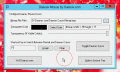
Free Big Mouse Cursor utility for Windows. Works with Windows XP onwards. Use Daanav Cursor while making presentations. Design your own Cursor with Transparency and other Configurable Parameters. This Presentation Software works on XP, Vista, etc.
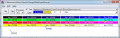
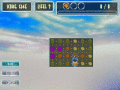
In this game, you need to make a row of 3 matching items in one string. On doing so, the items disappear and you win. The row needs to be led with a cursor, which you navigate on the playfield. The cursor acts as a needle leading a thread.
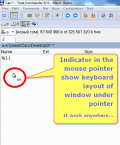
Aml Maple is a new point of view at keyboard layout indicators: simple, modern, flexible. It's easy to find: just look at the typing place or mouse cursor. Current layout can be indicated with colored symbols and national flag icon.
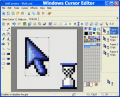
Windows Cursor Editor allows you to edit static and animated cursors in color depths up to 32-bit True Color. You also can search files and folders for cursors, import and export cursor images and create cursor libraries.
 HandyArchive