|

|
AutoPlay Engine 1.4.1.101
Stardust AutoPlay Engine 1.4 makes it possible to create small, fast-loading AutoPlay teasers for your data CD and DVD products that work across all versions of Windows. Runtime engine distribution is royalty-free.
free download trial (1.92 Mb)
|
|
|
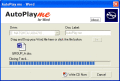
AutoPlay me for Word 5.0.2
Simply drag and drop your Word Document file and then press the Write CD Now button and you are done. AutoPlay me for Word does all the work. Not only does it add your file it also adds the Word Viewer to the cd.
free download trial (6.93 Mb)
:: order online ($39.95)
|
|

|
AutoPlay Express 4.2
Use this software suite to easily create media-rich autoplay menus for your CD and DVD discs in minutes! Simply add visual objects such as text, graphics or even a built-in web browser and tell them what to do and when.
free download trial (4.99 Mb)
|
|
|
|
|
|
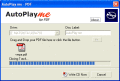
AutoPlay me for PDF 5.0.2
Simply drag and drop your PDF file and then press the Write CD Now button and you are done. AutoPlay me for PDF does all the work. Not only does it add your file it also adds the Foxit PDF Reader. Alternatively you may use Adobe Reader.
free download trial (4.34 Mb)
:: order online ($39.95)
|
|
|
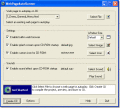
WebPageAutoRunner 1.0
WebPageAutoRunner lets you run a web page on an autoplay CD. Simply select the web page you would like to have display when the CD begins to autoplay, choose additional options including a splash screen, CD icon, sound effects, and more.
free download trial (1.17 Mb)
|
|
|
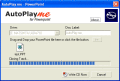
AutoPlay me for Power Point 5.0.2
Simply drag and drop your powerpoint presentation file and then press the Write CD Now button and you are done. AutoPlay me for PowerPoint does all the work. Not only does it add your file it also adds the latest PowerPoint 2003 Viewer.
free download trial (5.21 Mb)
|
|
|
|
|

|
Top Story Rotator 1.0
Main features: * Easy to use; * AS3; * Only 8kb! * Dynamic (XML); * Loop; * Resizable; * Unlimited images! * Images and AS3 SWF files; * Mouse wheel support. Advanced configuration: * Link and target; * Disable/Enable autoplay; * Autoplay delay for
free download trial (488 Kb)
|
|

|
XML Photo Stack AS 2.0 1
XML Photo Stack A.S 2.0. Setting Through XML: Saturation Effect; ImageScale; BorderColor; BorderWidth; BorderHeight; Y axis position of the stack; AutoPlay on or off; AutoPlay Time (in seconds); Caption color; You can use any kind of photos regardle
free download trial (4.88 Mb)
|
|
|
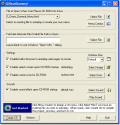
CDStartDummy! 2.6
CDStartDummy! creates autoplay CD-ROMs with the ability to launch any file type you wish ranging from web page presentations to movies. You can include your own splash screen graphic, custom CD icon, sound effects, custom window sizes, and more.
free download trial (1 Mb)
|
|

|
Autoplay Banner Rotator 1
This is a highly customizable autoplay banner rotator. The rotator is fully resizable and you can specify its width and height in the XML file. It supports images and animated swf files, the number of items is unlimited. Supports HTML formatted text
free download trial (4.88 Mb)
|
|
Pages : 1 | 2
| 3
| 4
| 5
|
|
|
|