 HandyArchive
An easy-to-use AVI converter.
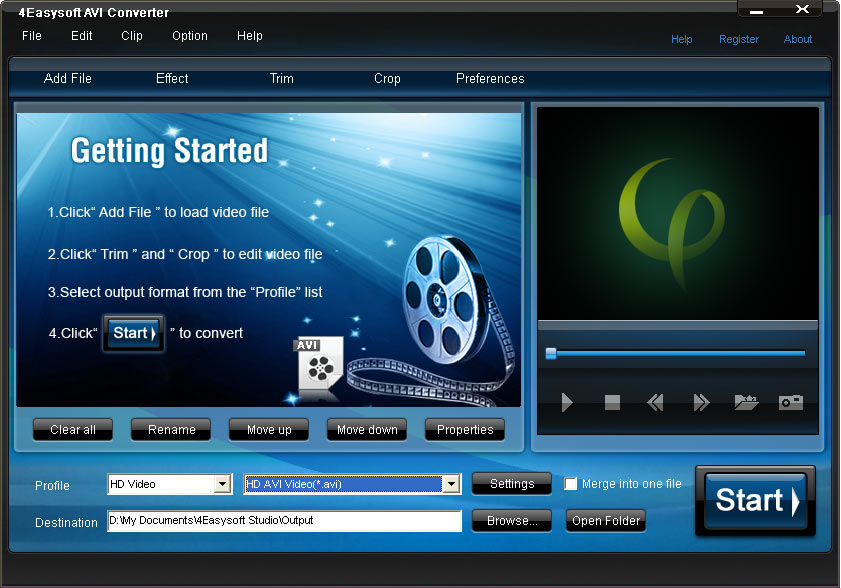
4Easysoft AVI Converter 3.2.32
4Easysoft AVI Converter is an easy-to-use video converter which can convert mainstream video files to AVI format. The key formats supported are: MOV, WMV, ASF, 3GP, VOB, MPG/MPEG2, FLV (Flash Video) and HD video files. So you could enjoy the video and movie on your portable players such as Archos GMini402, iRiver PMP-100, Creative Zen, etc.
As the professional AVI Video Converter, 4Easysoft AVI Converter possesses a variety of video editing features such as adjusting video effect, trimming excellent video clip, cropping video to cut off the undesired black edges.
Key Features
1.Support all mainstream video and audio formats
Convert FLV to AVI, MOV to AVI, VOB to AVI and so on. Extract audio from video files and convert audio to AAC, AC3, MP3, M4A, MP2, WAV.
2.Edit videos as you like
This AVI Video Converter enriches your video in the way of a wide variety of video editing functions such as adjusting video effect (checking Deinterlacing helps you to convert interlaced video to the progressive video), trimming excellent video clip, cropping video to cut off the undesired black edges, capturing your favor video images and joining several interesting clips into one.
3.Customize output settings
Set the Video Encoder, Resolution, Frame Rate, Video Bitrate.set the Audio Encoder, Sample Rate, Channels, Audio Bitrate.
4.Preview both the input and instant output video effect simultaneously
You can preview the original video and the instant output video for your operation at the same time.
5.Add watermark
Insert image or add text watermark for your video and adjust the watermark position, transparence even text font style, color if needed.
As the professional AVI Video Converter, 4Easysoft AVI Converter possesses a variety of video editing features such as adjusting video effect, trimming excellent video clip, cropping video to cut off the undesired black edges.
Key Features
1.Support all mainstream video and audio formats
Convert FLV to AVI, MOV to AVI, VOB to AVI and so on. Extract audio from video files and convert audio to AAC, AC3, MP3, M4A, MP2, WAV.
2.Edit videos as you like
This AVI Video Converter enriches your video in the way of a wide variety of video editing functions such as adjusting video effect (checking Deinterlacing helps you to convert interlaced video to the progressive video), trimming excellent video clip, cropping video to cut off the undesired black edges, capturing your favor video images and joining several interesting clips into one.
3.Customize output settings
Set the Video Encoder, Resolution, Frame Rate, Video Bitrate.set the Audio Encoder, Sample Rate, Channels, Audio Bitrate.
4.Preview both the input and instant output video effect simultaneously
You can preview the original video and the instant output video for your operation at the same time.
5.Add watermark
Insert image or add text watermark for your video and adjust the watermark position, transparence even text font style, color if needed.