 HandyArchive
The all-in-one Nokia Video Converter.
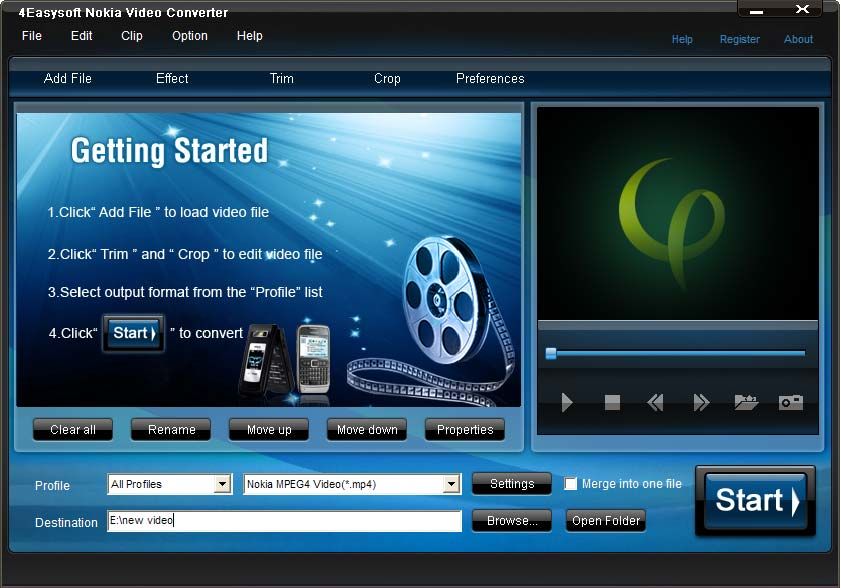
4Easysoft Nokia Video Converter 3.3.02
4Easysoft Nokia Video Converter provides perfect solution to convert your favorite video files to Nokia mobile phone format with the best quality of picture and sound. This Multimedia Converter software could support almost all source formats, including WMV, MPEG, MPG, ASF, MOD, FLV, SWF, RM and HD files, etc.
In addition, 4Eaysoft Nokia Video Converter also has many advanced function and rich settings for video output. So this powerful Nokia Video Converter doubles your enjoyment of watching videos on Nokia phone. This Video to Nokia Converter Software is so easy-to-use that whether you are an experienced user or a beginner, converting all popular video formats to Nokia video is just in a breeze.
key features
1.Satisfy multiple requirements at the same time
Select a variety of output formats simultaneously for source file, and let 4Easysoft Nokia Video Converter do the rest.
2.Compatible with Nokia series phone
This Video to Nokia Converter offers the proper video/audio compatible with Nokia N96, E75, E71, E63, N95, N75, N73, 5300, 6555, etc.
3.Adjust video effect
Adjust video Brightness, Contrast, Saturation and audio Volume. Avoid mosaic by checking Deinterlacing.
4.Split video
Trim any segment of your Video to Nokia video by setting the Start time and End Time or dragging the slider bar.
5.Merge video
This Nokia Multimedia Converter doubles your enjoyment with joining several interesting clips into one.
6.Crop video
Crop off the black edges of video. Adjust the screen aspect ratio: keep original/ full screen/16:9/4:3.
7.Capture pictures
If you like the current image of the video you just click the "Snapshot" button. The image will be saved , then you can transfer it to your Nokia phone.
In addition, 4Eaysoft Nokia Video Converter also has many advanced function and rich settings for video output. So this powerful Nokia Video Converter doubles your enjoyment of watching videos on Nokia phone. This Video to Nokia Converter Software is so easy-to-use that whether you are an experienced user or a beginner, converting all popular video formats to Nokia video is just in a breeze.
key features
1.Satisfy multiple requirements at the same time
Select a variety of output formats simultaneously for source file, and let 4Easysoft Nokia Video Converter do the rest.
2.Compatible with Nokia series phone
This Video to Nokia Converter offers the proper video/audio compatible with Nokia N96, E75, E71, E63, N95, N75, N73, 5300, 6555, etc.
3.Adjust video effect
Adjust video Brightness, Contrast, Saturation and audio Volume. Avoid mosaic by checking Deinterlacing.
4.Split video
Trim any segment of your Video to Nokia video by setting the Start time and End Time or dragging the slider bar.
5.Merge video
This Nokia Multimedia Converter doubles your enjoyment with joining several interesting clips into one.
6.Crop video
Crop off the black edges of video. Adjust the screen aspect ratio: keep original/ full screen/16:9/4:3.
7.Capture pictures
If you like the current image of the video you just click the "Snapshot" button. The image will be saved , then you can transfer it to your Nokia phone.