 HandyArchive
A professional VOB Video Converter.
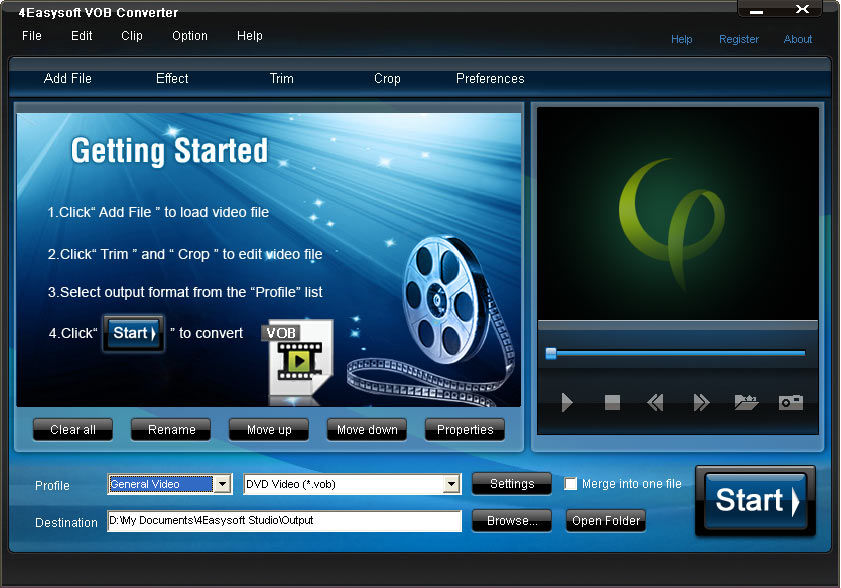
4Easysoft VOB Converter 3.3.08
4Easysoft VOB Converter can help you convert videos to DVD video formats such as AVI and WMV to VOB. 4Easysoft VOB Converter, a professional VOB Video Converter, converts AVI to VOB, WMV to VOB and VOB to MP3 with high quality of sound and image.
Furthermore, 4Easysoft VOB Converter provides powerful video editing functions and enables you to adjust encoding settings and add your special watermark. It is easy to use for both novices and pros with user-friendly interface.
key features
1.Set video effect and Deinterlacing
4Easysoft VOB Converter allows you to set the video Brightness, Contrast, Saturation. Checking Deinterlacing helps you to convert interlaced video to the progressive video, this function can optimize the video effect.
2.Split segments
Split movies by presetting the exact start and end time, or just dragging the slider bar.
3.Merge files
4Easysoft VOB Converter doubles your enjoyment with joining several interesting clips into one.
4.Crop videos
Crop frame size to remove your unwanted area using this VOB Video Converter like smart scissors.
5.Preview and capture highlights
You can preview the original video and the instant output video for your operation at the same time, and capture your favorite pictures while previewing movies. It can be saved in default folder automatically.
6.More settings for you to customize
4Easysoft VOB Converter provides detailed video and audio settings for you to adjust, such as set the Video Encoder, Resolution, Frame Rate, Video Bitrate.
7.Watermark function supported
This function allows you to watermark on your video in form of text or image.
8.Select subtitle and audio track
According to the newly added function, you are allowed to choose subtitle and audio track.
Furthermore, 4Easysoft VOB Converter provides powerful video editing functions and enables you to adjust encoding settings and add your special watermark. It is easy to use for both novices and pros with user-friendly interface.
key features
1.Set video effect and Deinterlacing
4Easysoft VOB Converter allows you to set the video Brightness, Contrast, Saturation. Checking Deinterlacing helps you to convert interlaced video to the progressive video, this function can optimize the video effect.
2.Split segments
Split movies by presetting the exact start and end time, or just dragging the slider bar.
3.Merge files
4Easysoft VOB Converter doubles your enjoyment with joining several interesting clips into one.
4.Crop videos
Crop frame size to remove your unwanted area using this VOB Video Converter like smart scissors.
5.Preview and capture highlights
You can preview the original video and the instant output video for your operation at the same time, and capture your favorite pictures while previewing movies. It can be saved in default folder automatically.
6.More settings for you to customize
4Easysoft VOB Converter provides detailed video and audio settings for you to adjust, such as set the Video Encoder, Resolution, Frame Rate, Video Bitrate.
7.Watermark function supported
This function allows you to watermark on your video in form of text or image.
8.Select subtitle and audio track
According to the newly added function, you are allowed to choose subtitle and audio track.