 HandyArchive
Transfer files between iPhone and Mac.
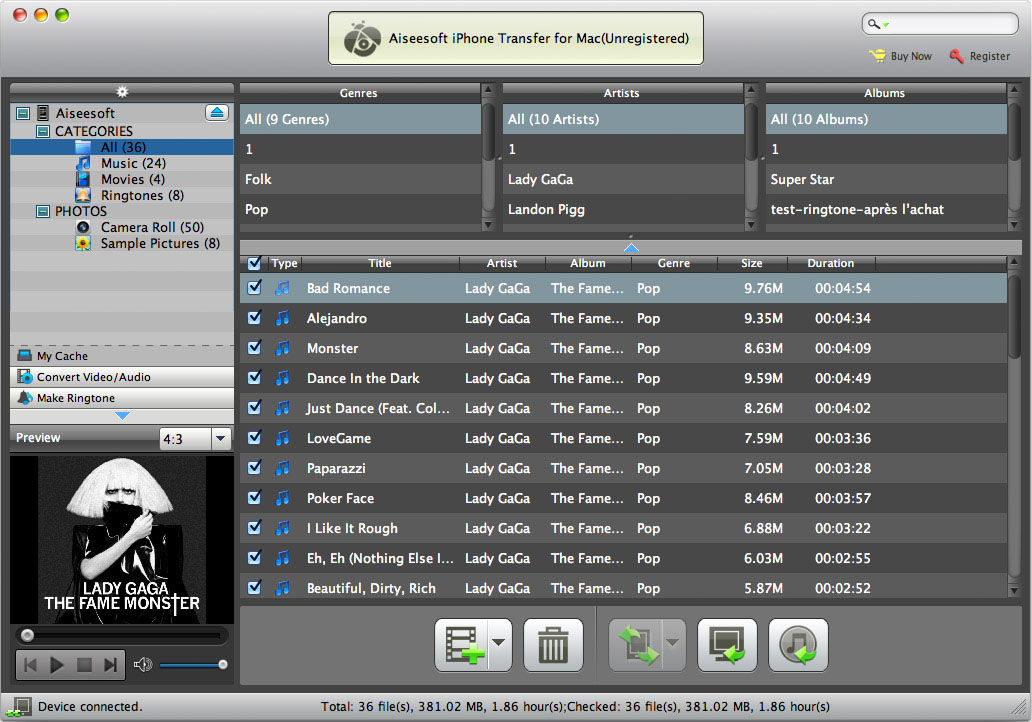
Aiseesoft iPhone Transfer for Mac 6.3.12
Aiseesoft iPhone Transfer for Mac is an all-in-one tool for iPhone users to import local videos, audios, photos, and ringtones to Mac directly, and export iPhone music, movies, pictures, voice memos, camera roll, ringtones, and camera shot to Mac without losing anything. Also it can help you to convert popular video/audio files to iPhone compatible formats, then transfer them to iPhone directly. You can even copy iPhone files to iTunes for backup. What's more, this Mac Transfer is highly compatible with iPhone 5s/5c, iPad mini 2, iPad Air and iOS 7, iTunes 11.
Key Features
1. Transfer iPhone files to iTunes
The Mac iPhone Transfer can transfer iPhone files to iTunes for backup.
2. Manage iPhone playlists
You can create, delete and manage the playlists and its contents.
3. Transfer files between different iOS devices
With this Mac iPhone Transfer, users can share files between different iOS devices (iPad, iPhone and iPod).
4. Edit video effect
This iPhone Transfer for Mac can help you trim video length, crop video frame, watermark video, and adjust video effect.
5. Create your own iPhone Ringtone
You can also make iPhone M4R Ringtone with video, audio and DVD sources.
6. Auto operation
Once you connect your iPhone to Mac, this transfer can identify your device information automatically. And the search function can help you quickly find your files by the category of Name/Album/Artist/Genre.
7. Store output files in My Cache
Without connecting iPhone to Mac, you can convert DVD and video files to My Cache first. And you can transfer the output files from My Cache to iPhone whenever you want.
8. Repair your iPhone database
If the database of your iPad 2 has damaged condition, this Mac iPhone Transfer can help you repair it in order to transfer files successfully.
9. Show the number of files automatically
This iPhone Transfer for Mac can count the number of files your selected, succeed and failed automatically.
Key Features
1. Transfer iPhone files to iTunes
The Mac iPhone Transfer can transfer iPhone files to iTunes for backup.
2. Manage iPhone playlists
You can create, delete and manage the playlists and its contents.
3. Transfer files between different iOS devices
With this Mac iPhone Transfer, users can share files between different iOS devices (iPad, iPhone and iPod).
4. Edit video effect
This iPhone Transfer for Mac can help you trim video length, crop video frame, watermark video, and adjust video effect.
5. Create your own iPhone Ringtone
You can also make iPhone M4R Ringtone with video, audio and DVD sources.
6. Auto operation
Once you connect your iPhone to Mac, this transfer can identify your device information automatically. And the search function can help you quickly find your files by the category of Name/Album/Artist/Genre.
7. Store output files in My Cache
Without connecting iPhone to Mac, you can convert DVD and video files to My Cache first. And you can transfer the output files from My Cache to iPhone whenever you want.
8. Repair your iPhone database
If the database of your iPad 2 has damaged condition, this Mac iPhone Transfer can help you repair it in order to transfer files successfully.
9. Show the number of files automatically
This iPhone Transfer for Mac can count the number of files your selected, succeed and failed automatically.