 HandyArchive
A powerful Mac iPod/iPhone transfer software
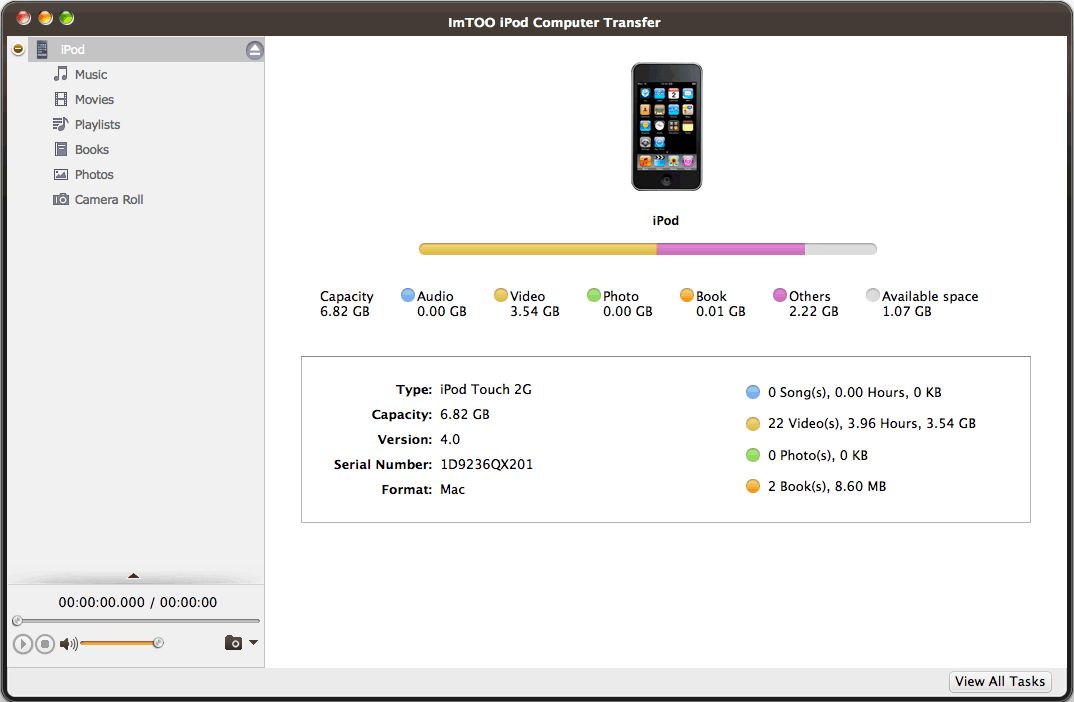
ImTOO iPod Computer Transfer for Mac 4.0.3.0311
Featuring multiple functions, ImTOO iPod Computer Transfer for Mac is a perfect transfer tool among iPod, iPhone and your Mac for iPod user like you.This iPod software for Mac users helps you transfer iPod/iPhone music, video, iPod podcast and TV program to your Mac within a few seconds, and vice versa. It supports file transfer from iPod/iPhone to iTunes. All formats compatible with iPod are supported.Transfer between iPod and iPhone, along with transfer among several iPods is also provided as a bonus function. With ImTOO iPod Computer Transfer for Mac, you will find connecting your iPod, iPhone and Mac is so easy!
New features:
1.Support iOS 4.3
2.Support CDMA iPhone 4
3.Add iPhone ringtone management feature
4.Add eBook management feature
5.Supports Apple iOS4.0.1
6.Supports iPad OS 3.2.1
7.Better support to add artwork to your music and video
Key Features:
1. Support all types of iPod and iPhone: iPod touch, iPod nano, iPod classic, iPhone 3GS, iPhone 3G, iPhone 4, iTunes 9.1.1, iOS 4 and Mac OS X10.6.3;
2. iPod to Mac, iPhone to Mac ??“ Use the iPod software to transfer iPod and iPhone contents to your Mac within a few seconds;
3.Mac to iPod, Mac to iPhone - It also can transfer the files on your Mac to iPod and iPhone;
4. iPod to iTunes, iPhone to iTunes - All iPod and iPhone audio/video files can be imported to iTunes on your Mac;
5.Transfer between iPod and iPhone - Connect them by drag-and-drop;
6.Create & edit playlist;
7.Offer Quick Search and Filter functions so that you can easily find files you want;
8.You can play music and movie with system default players by right click;
9.Support opening iPod and iPhone with Finder;
10.Support adding illustration for video in thumbnail mode;
11.Friendly Interface and super high transfer speed.
12.Improve the performance of image transmission
New features:
1.Support iOS 4.3
2.Support CDMA iPhone 4
3.Add iPhone ringtone management feature
4.Add eBook management feature
5.Supports Apple iOS4.0.1
6.Supports iPad OS 3.2.1
7.Better support to add artwork to your music and video
Key Features:
1. Support all types of iPod and iPhone: iPod touch, iPod nano, iPod classic, iPhone 3GS, iPhone 3G, iPhone 4, iTunes 9.1.1, iOS 4 and Mac OS X10.6.3;
2. iPod to Mac, iPhone to Mac ??“ Use the iPod software to transfer iPod and iPhone contents to your Mac within a few seconds;
3.Mac to iPod, Mac to iPhone - It also can transfer the files on your Mac to iPod and iPhone;
4. iPod to iTunes, iPhone to iTunes - All iPod and iPhone audio/video files can be imported to iTunes on your Mac;
5.Transfer between iPod and iPhone - Connect them by drag-and-drop;
6.Create & edit playlist;
7.Offer Quick Search and Filter functions so that you can easily find files you want;
8.You can play music and movie with system default players by right click;
9.Support opening iPod and iPhone with Finder;
10.Support adding illustration for video in thumbnail mode;
11.Friendly Interface and super high transfer speed.
12.Improve the performance of image transmission